
Prerequisite: You have evaluated TimeRewards and decided to go ahead with the implementation.
In Step 1 we will customize TimeRewards to match your company's preferences.
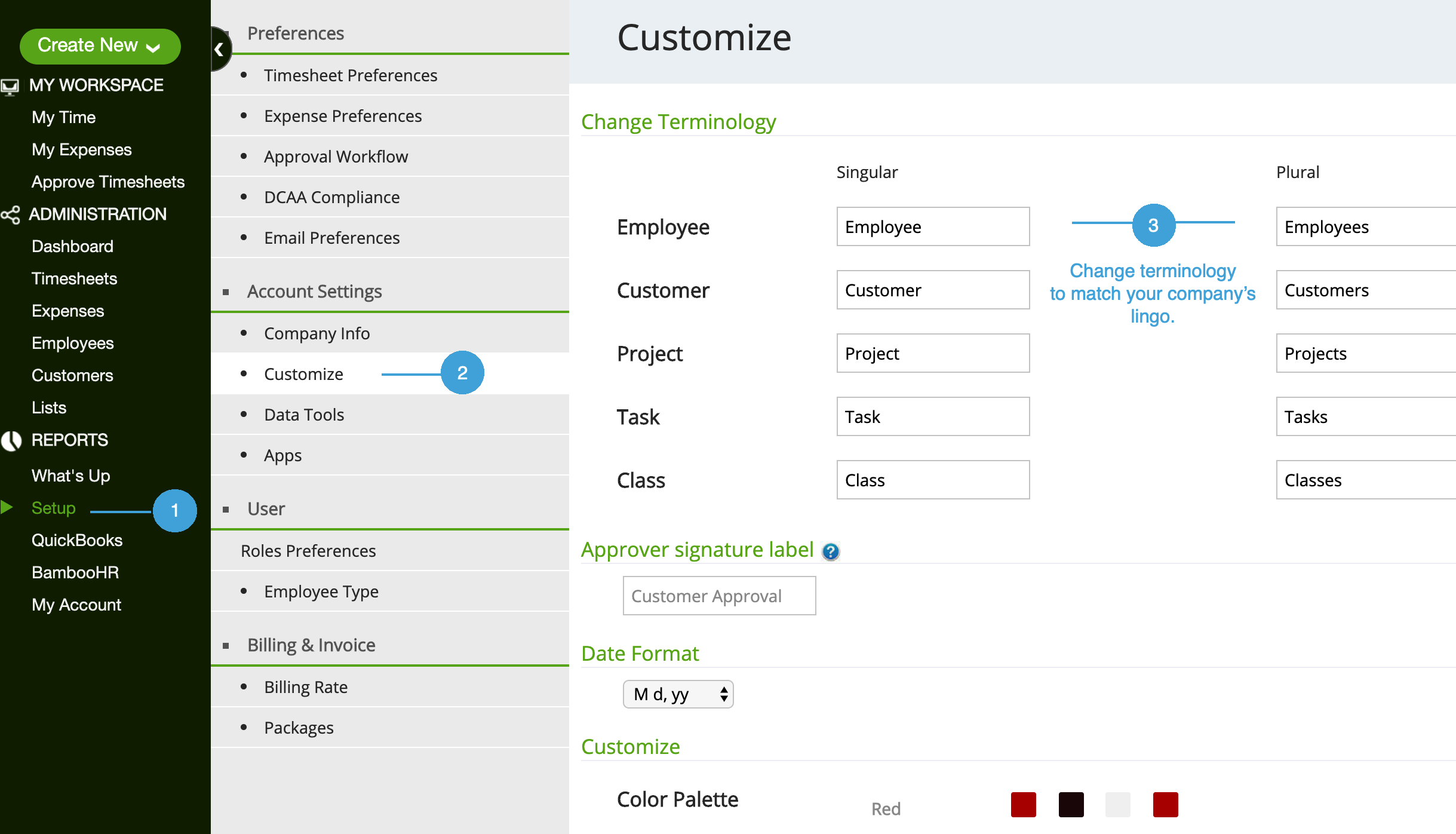
1. Customize Terminology
Let's start with getting the lingo correct.
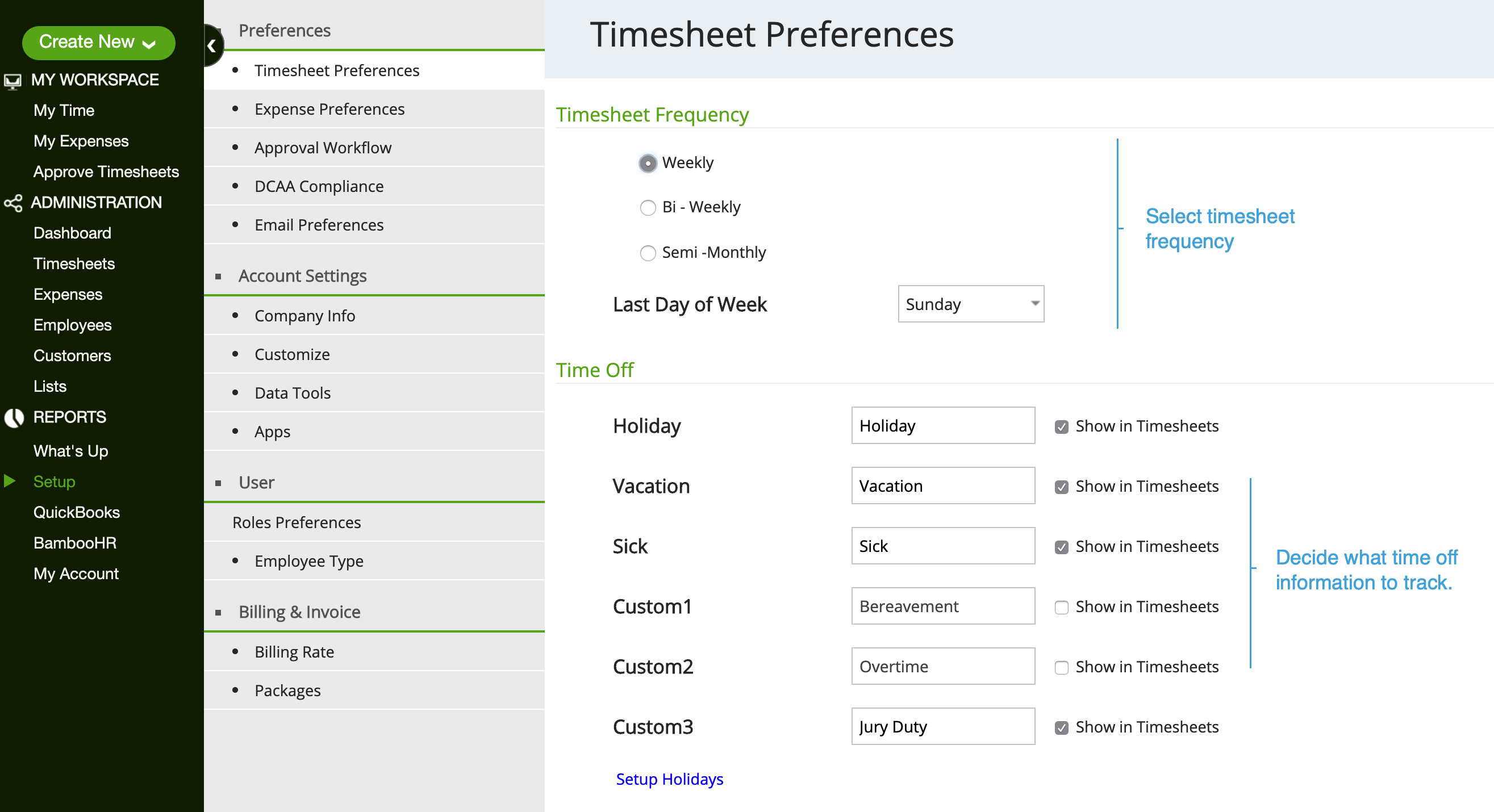
2. Timesheet Preferences
Next, let's customize the timesheet layout and setup rules under Setup | Timesheet Preference. You can change these setting anytime
3. Add Tasks
It is a good practice to use Task (service items)
If your account is connected with QuickBooks, these tasks should already be there. Click here to learn more about connecting your account to QuickBooks.
- To add tasks go to List | Tasks*
- Click on Add Task
- Enter Task name
- Click on Save & Close
*Task lexicon may have changed if it was renamed above in section - 1. Customize Terminology
0 Comments