
If your account is connected to QuickBooks, your Customer:Projects* should already be available in this list. Click here to learn more about connecting your account to QuickBooks.
*Customer/Project lexicon may have changed if it was renamed in Step - 1: Basic Set up
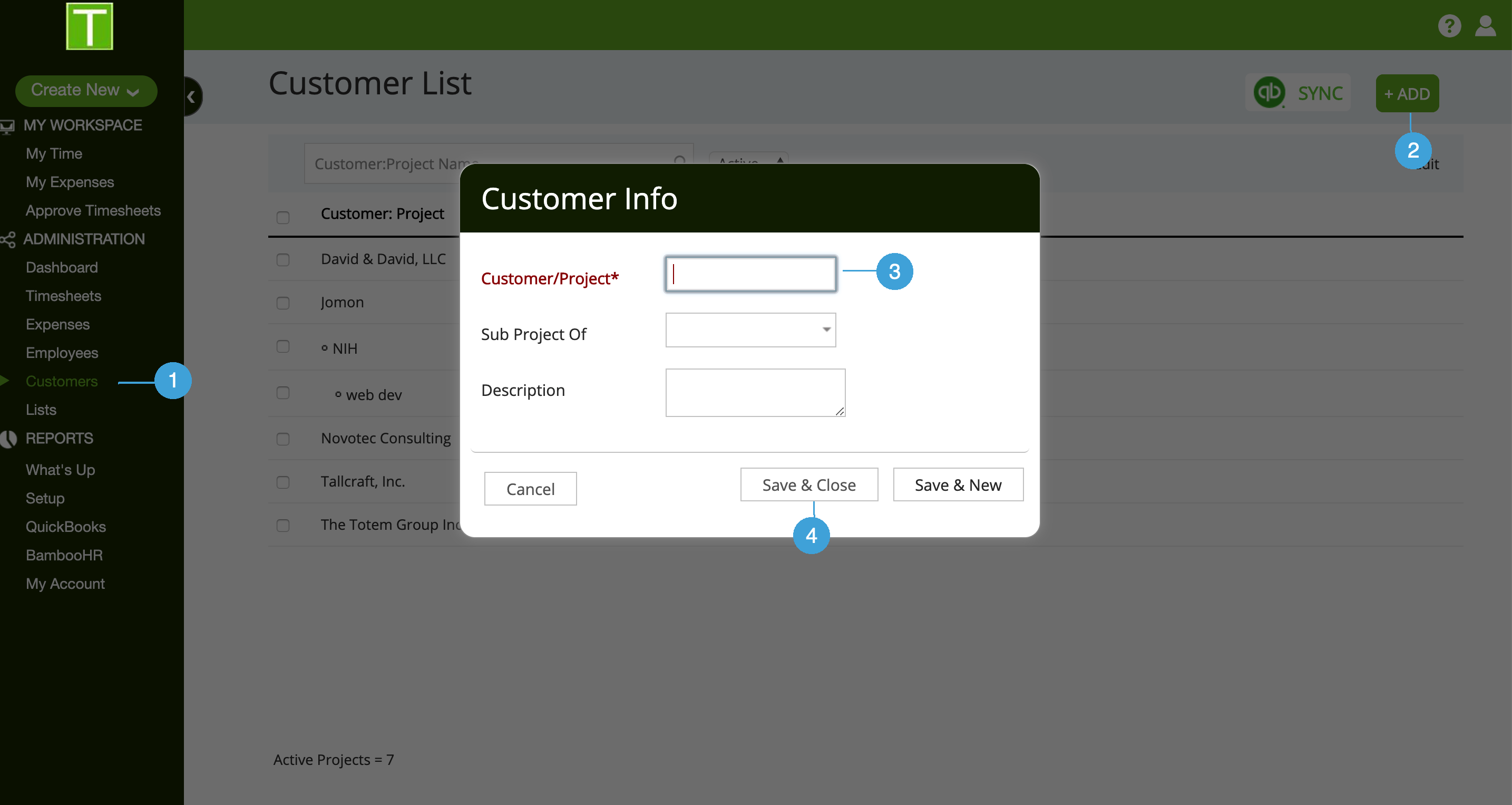
1. Add Customer
- Go to customer list
- Click on +Add
- Enter Customer/Project name
- Click on Save & Close or Save & New
2. Decide who can work on this Customer/Project
When you add a new customer/project, it is open to all users for time entry. If you need to restrict access to this customer/project:
- Select customer from list
- Go to Team tab
- Click on the delete icon
To learn more about assigning employees to work on customer/project click here

0 Comments