
By default all tasks performed on Fixed Fee projects are not billed by the hour. Time entered for these projects do not show up in the Pending Invoice queue.
You can choose to bill some task by the hour
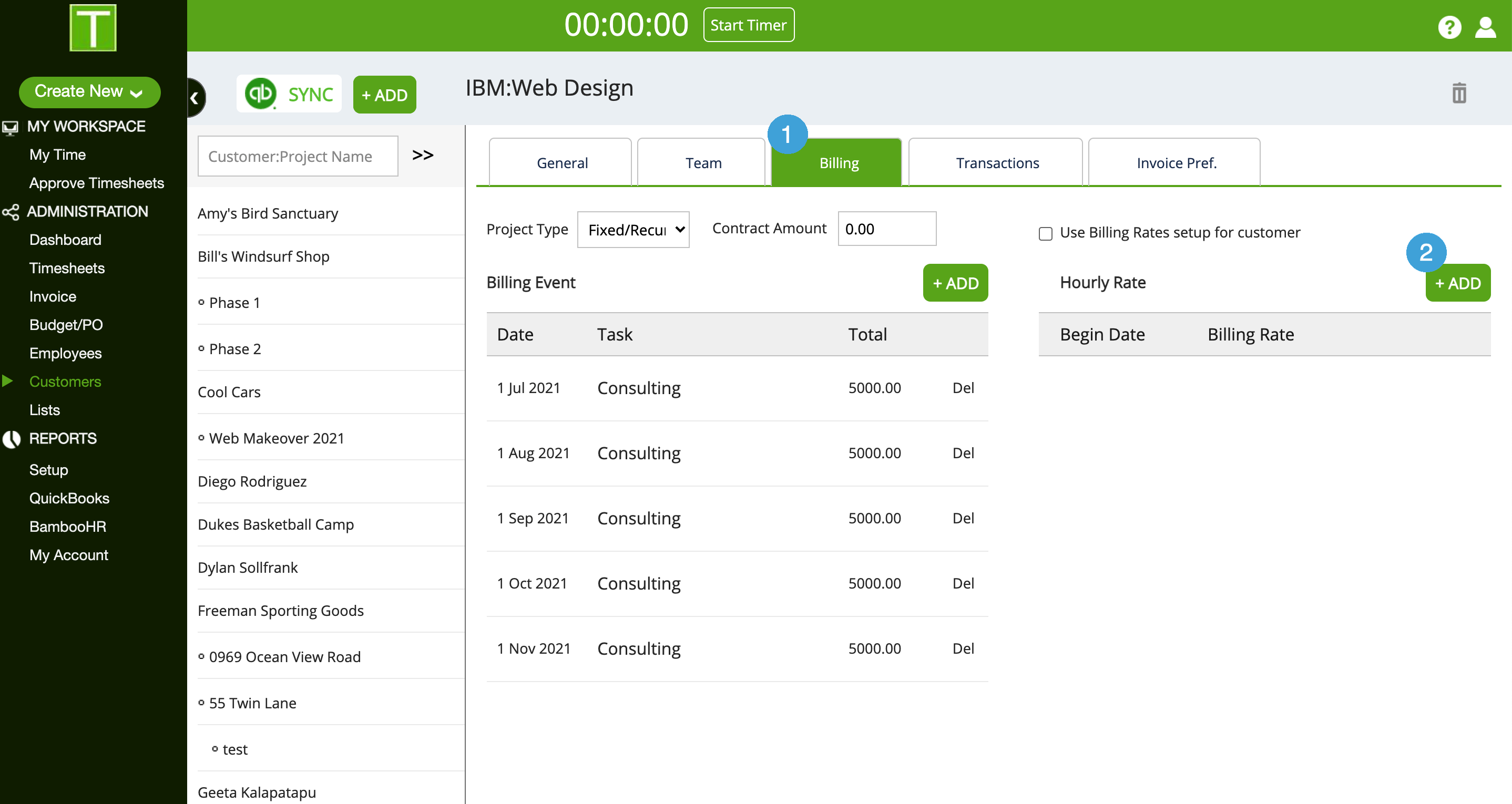
- Go to the Billing Tab of the project
- Click on +Add in the Hourly rate section
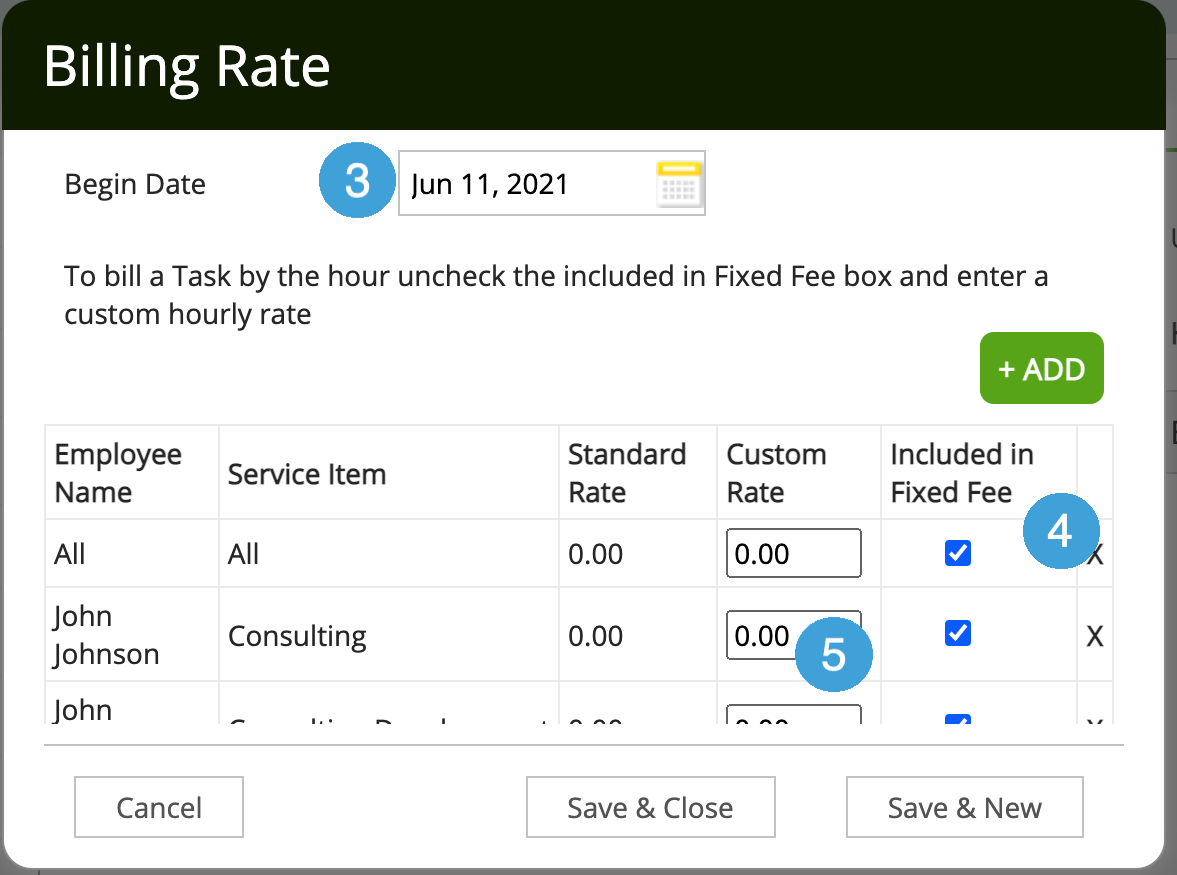
- Select the Begin Date for these rates
- From the list of assignments, uncheck the Included in Fixed Fee box for all tasks you want to bill by the hour
- Enter the Bill Rate in the Custom Rate column
- Save & Close
These transactions will now show up in the invoice queue.
0 Comments