
Click on My Time tab
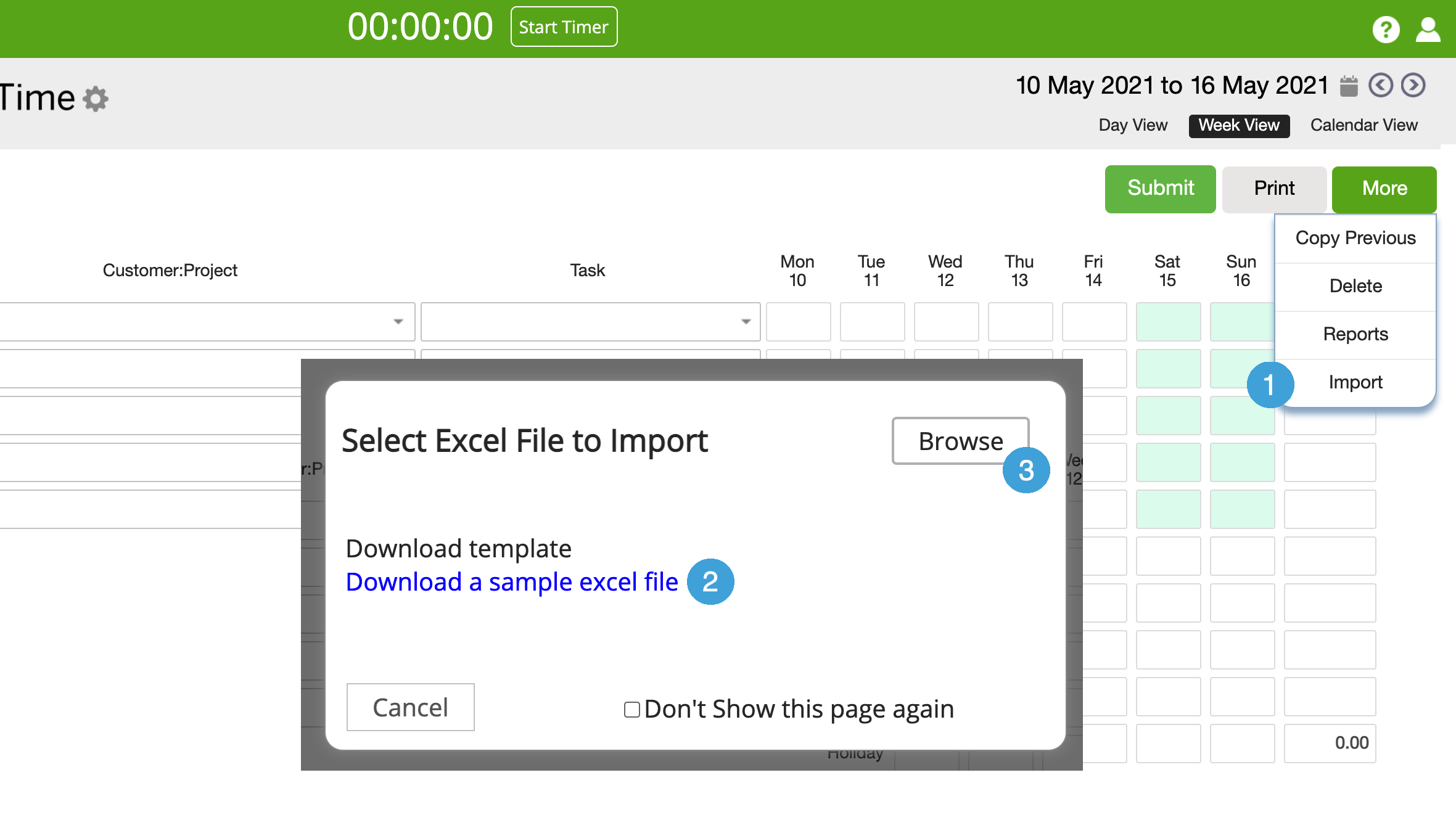
- Click on More and then Import
- In popup box, download the sample excel file
- Fill out the information in the excel file and save. When you are ready to import, click on Browse to find and import the saved file
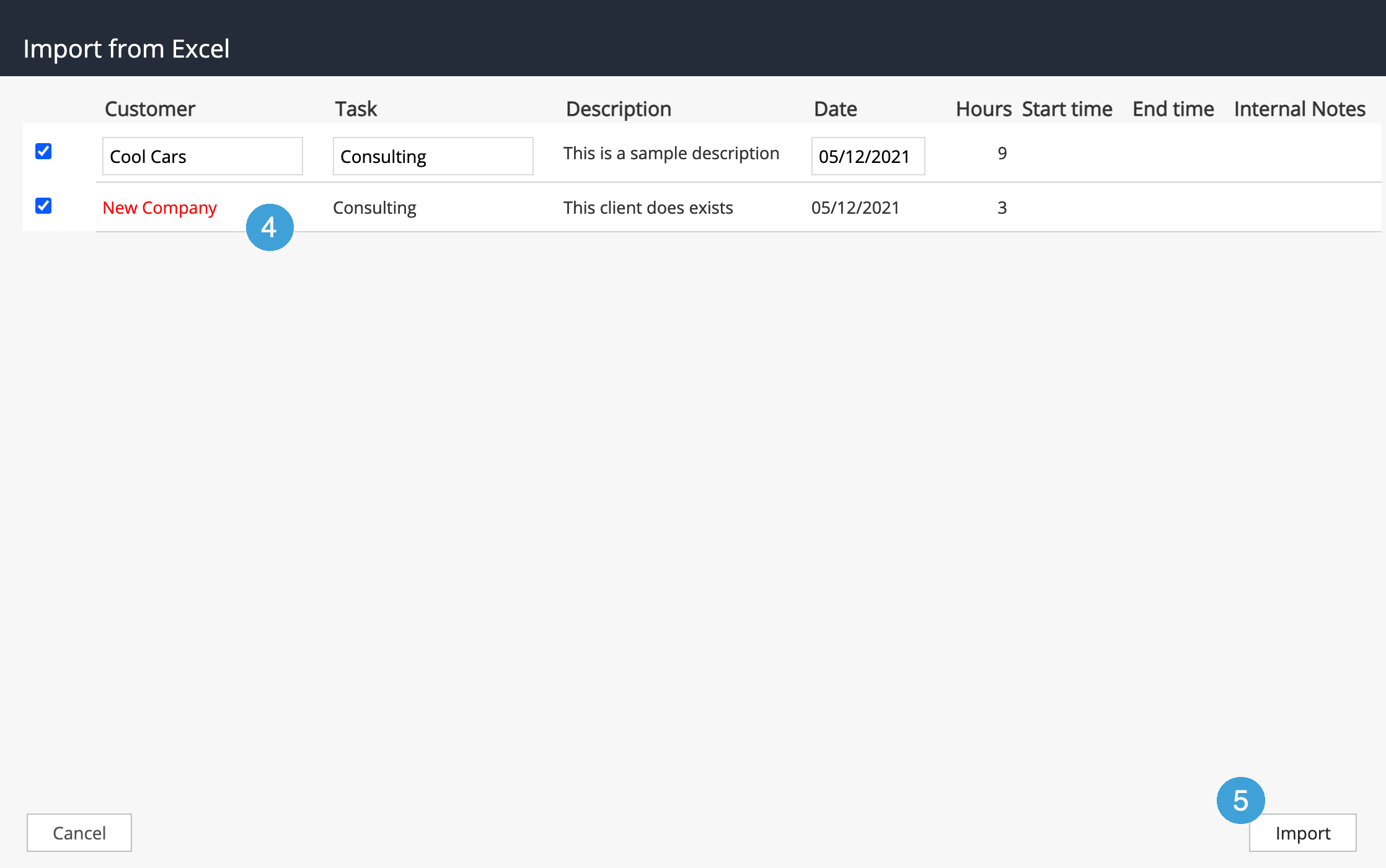
- This will open a preview window. Any error will appear in red. You can hover over the error to get more details.
- Fix the errors and click on Import. Errors that are not fixed, will not be imported and will continue to appear in this list.
Note: You can save the template with a different name for each week, or you can create a different tab in the excel file for each week, TimeRewards will always open the first tab. So you can keep your historical timesheets in other tabs.
0 Comments