
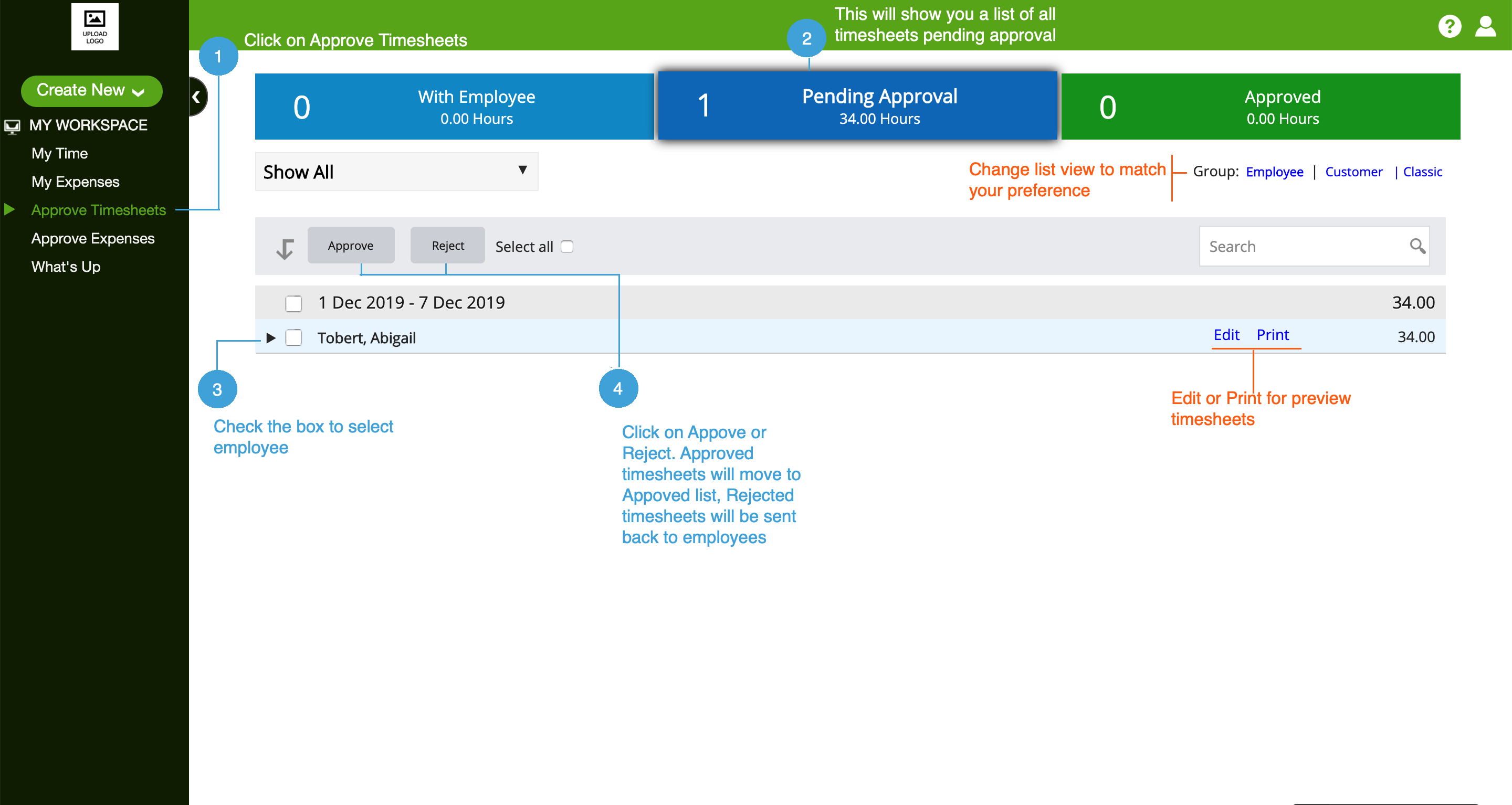
If you are setup as an approver, you will see the Approve Timesheets tab on the left.
- Click on the Approve Timesheets tab
- If you do not see timesheets here, select Show All from the drop down.
- To see Time Off, select the Classic view from top right
- You will see a list of timesheets pending approval
- Check the employee's timesheet you want to approve
- Click on Approve bottom
Approved timesheets move to the Approved list, and rejected timesheets are sent back to the employees and appear in the With Employee list. Employees whose timesheet have been rejected will get an email - this email can be customized from Setup | Email Preferences section by the admin.
0 Comments