How do I add an expense?
TimeRewards Software
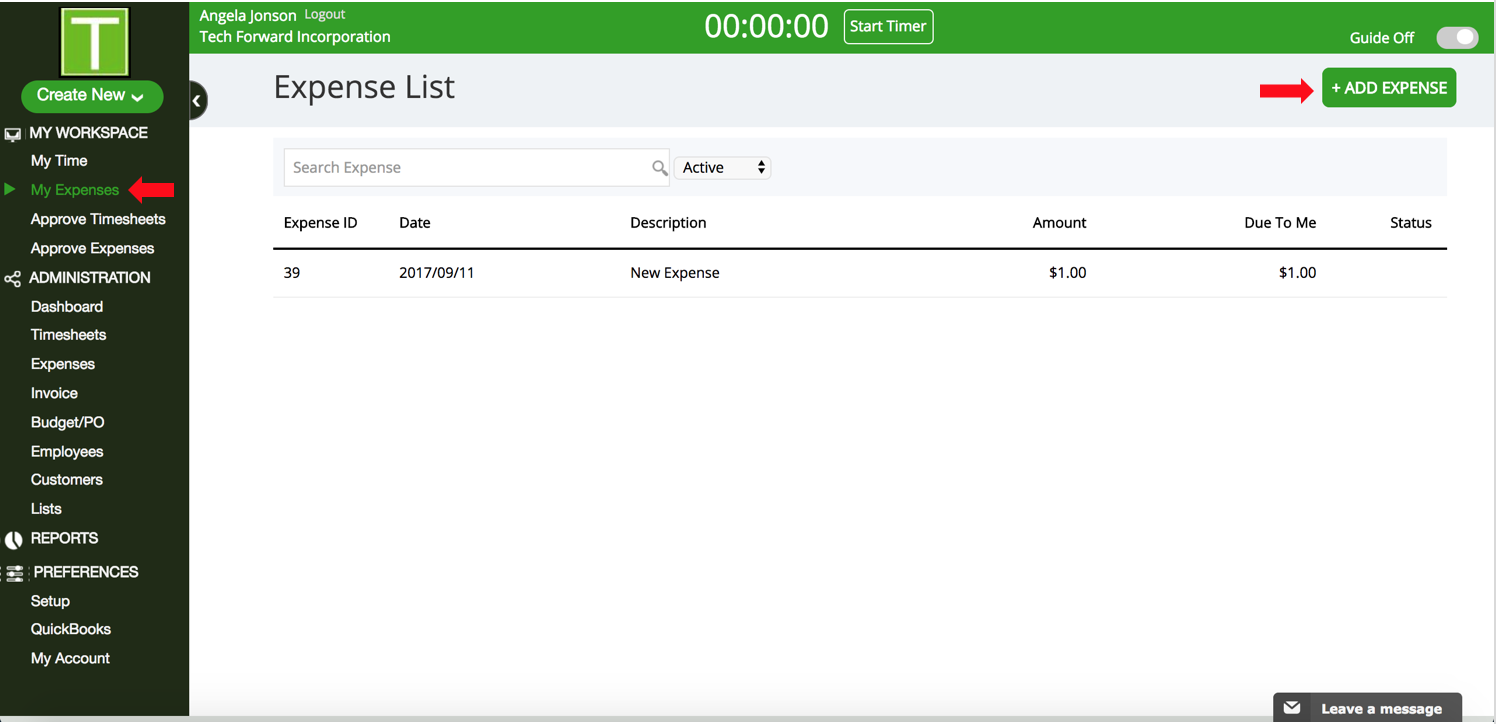
- Go to My Expense under My Workspace in the sidebar.
- Click on +Add Expense.
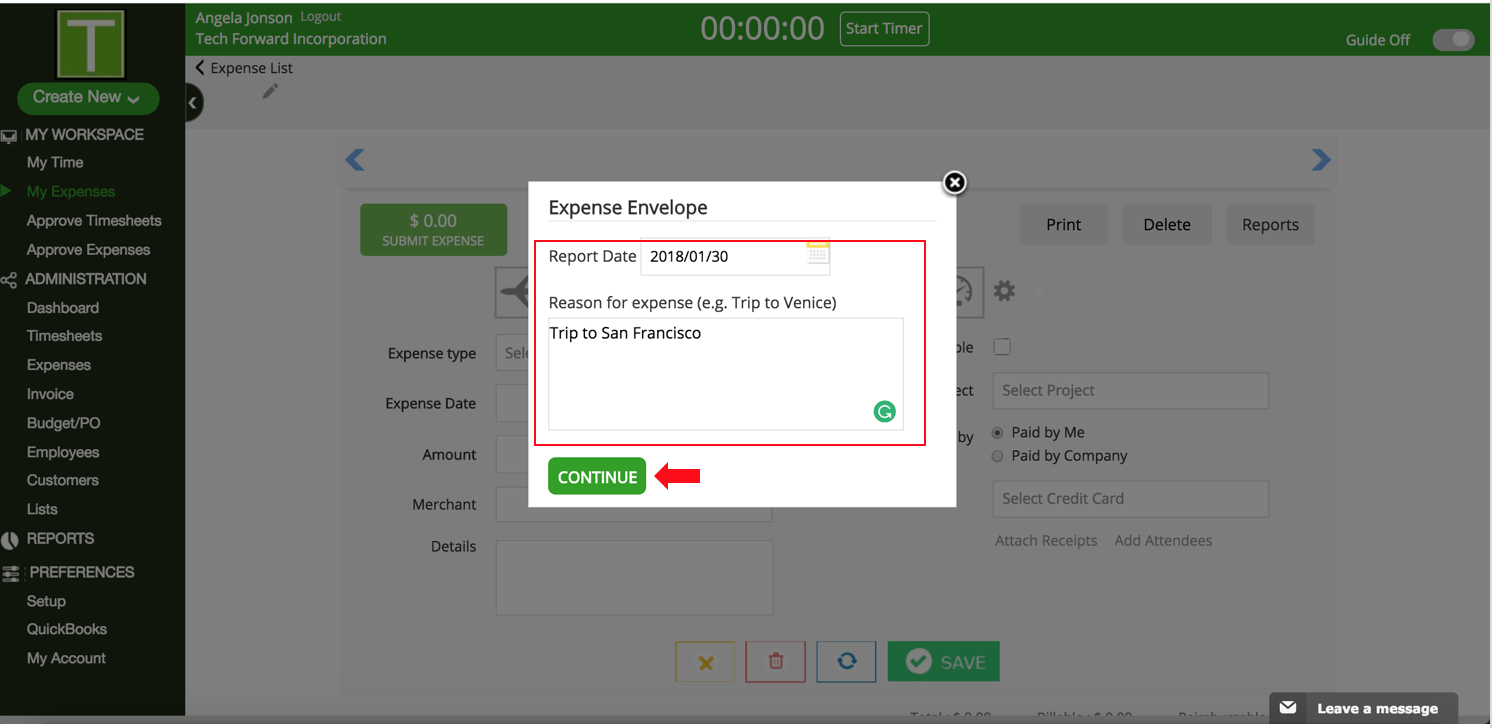
- Enter Report Date and Reason for Expense in the popup. Click on Continue.
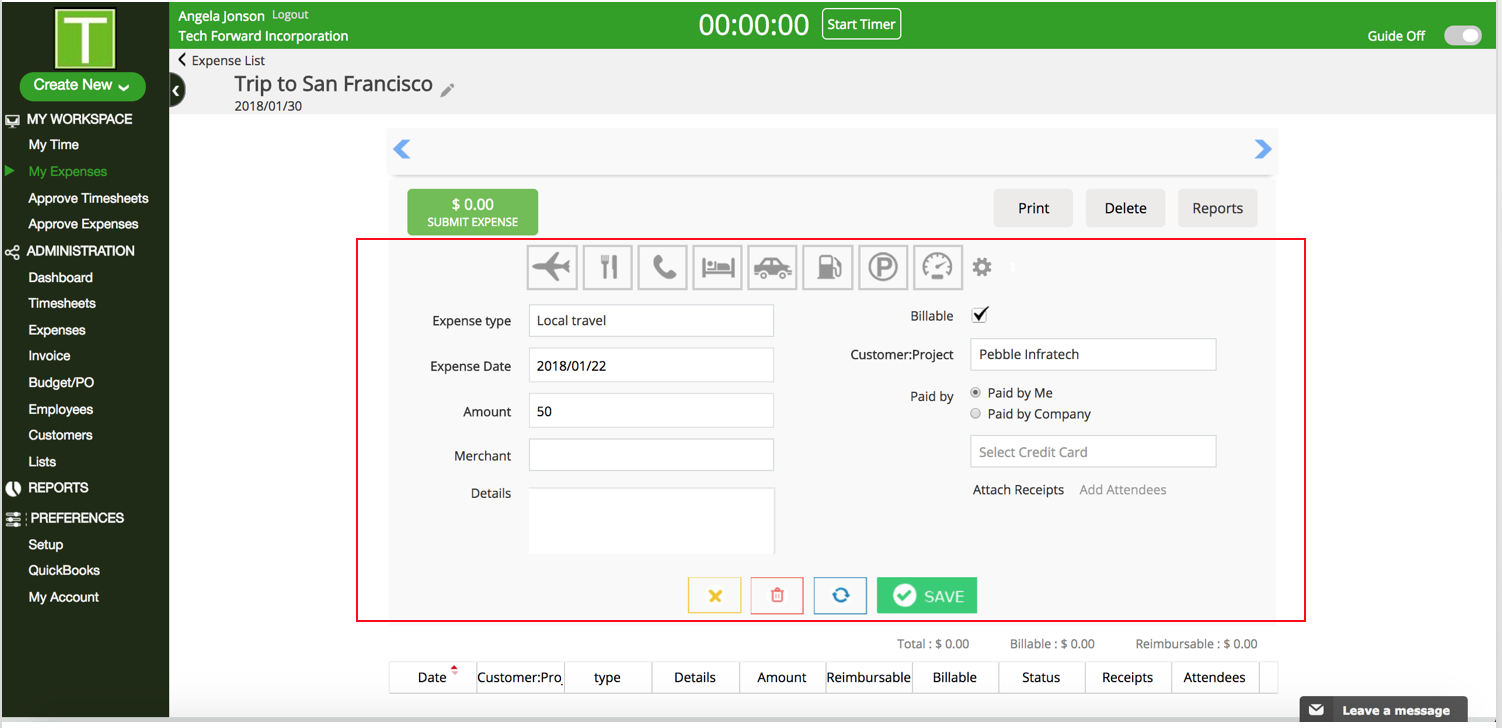
- Enter the Expense details and click save. Repeat this process till you have entered all expenses for this report.
- Click on Submit Expense when done.
Have more questions?
Submit a request

0 Comments