How do I hide Time Off section for certain users?
TimeRewards Software
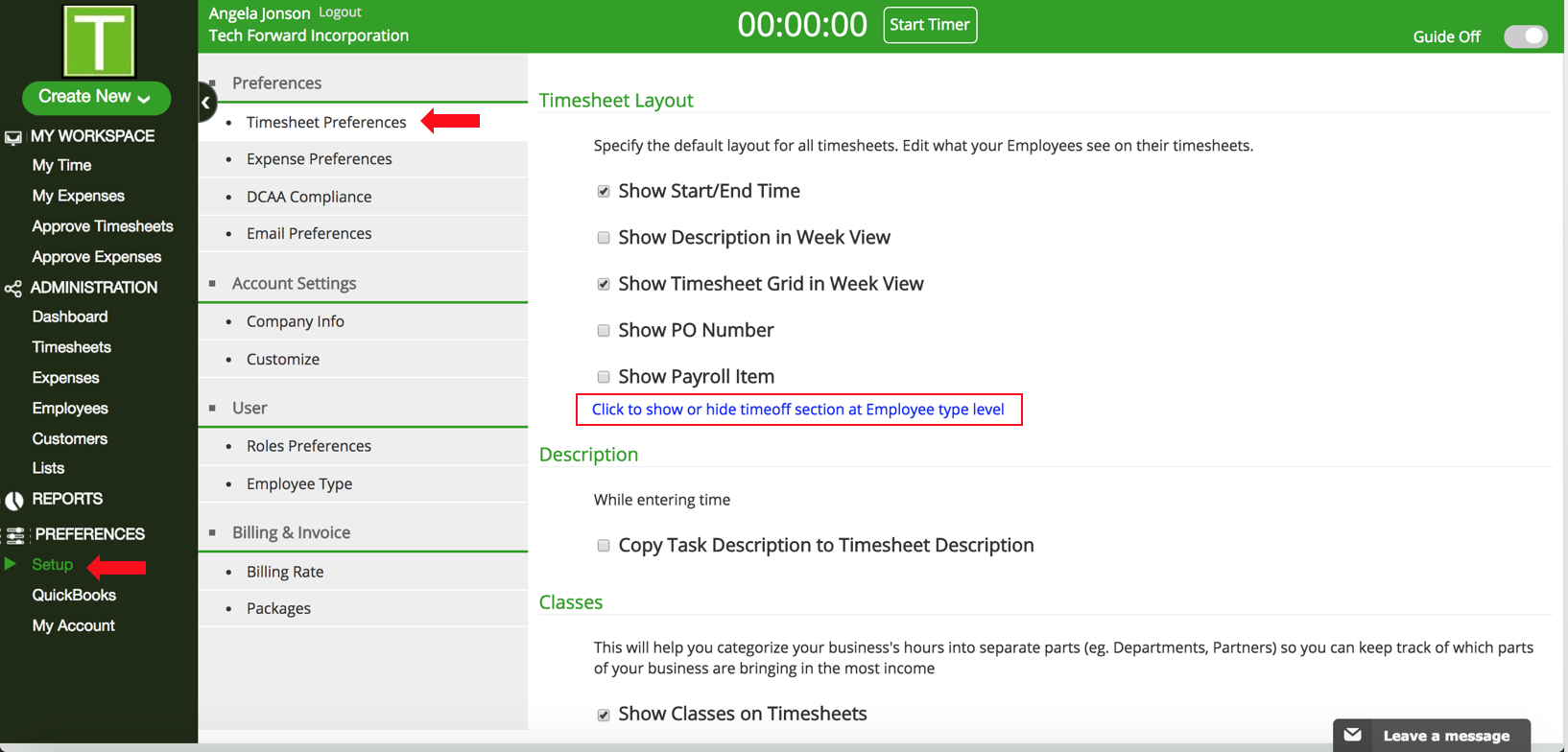
- Go to Setup under Preferences in the Sidebar.
- Click on Timesheet Preferences.
- Scroll down to Timesheet Layout.
- Click on "Click to show or hide Time Off section at Employee type level"
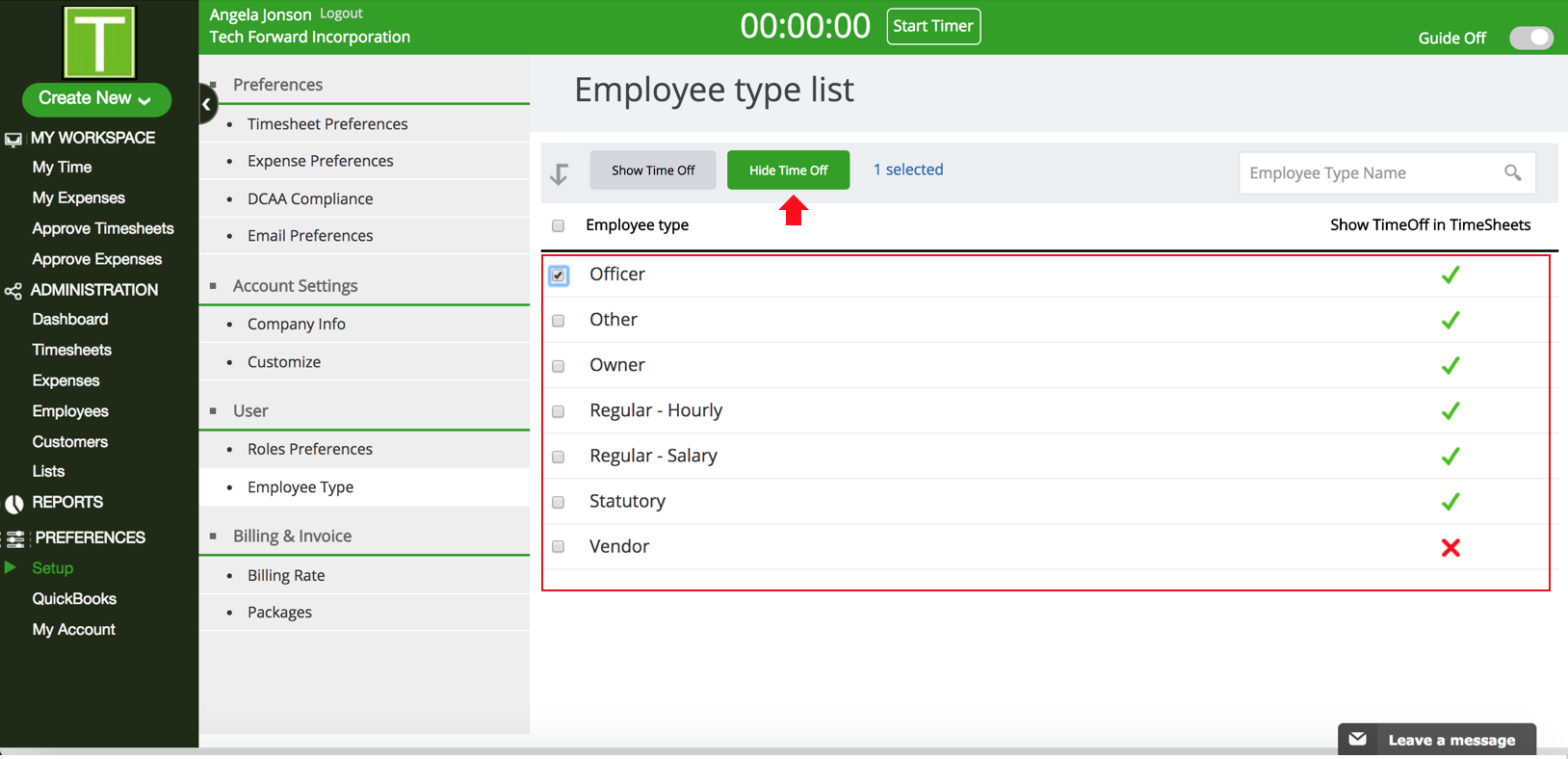
- Here, you can select the type of employees who can view Time Off in Timesheets. Select the employee type and click on the Hide Time Off button.
Have more questions?
Submit a request

0 Comments