How do I set Timesheet frequency?
TimeRewards Software
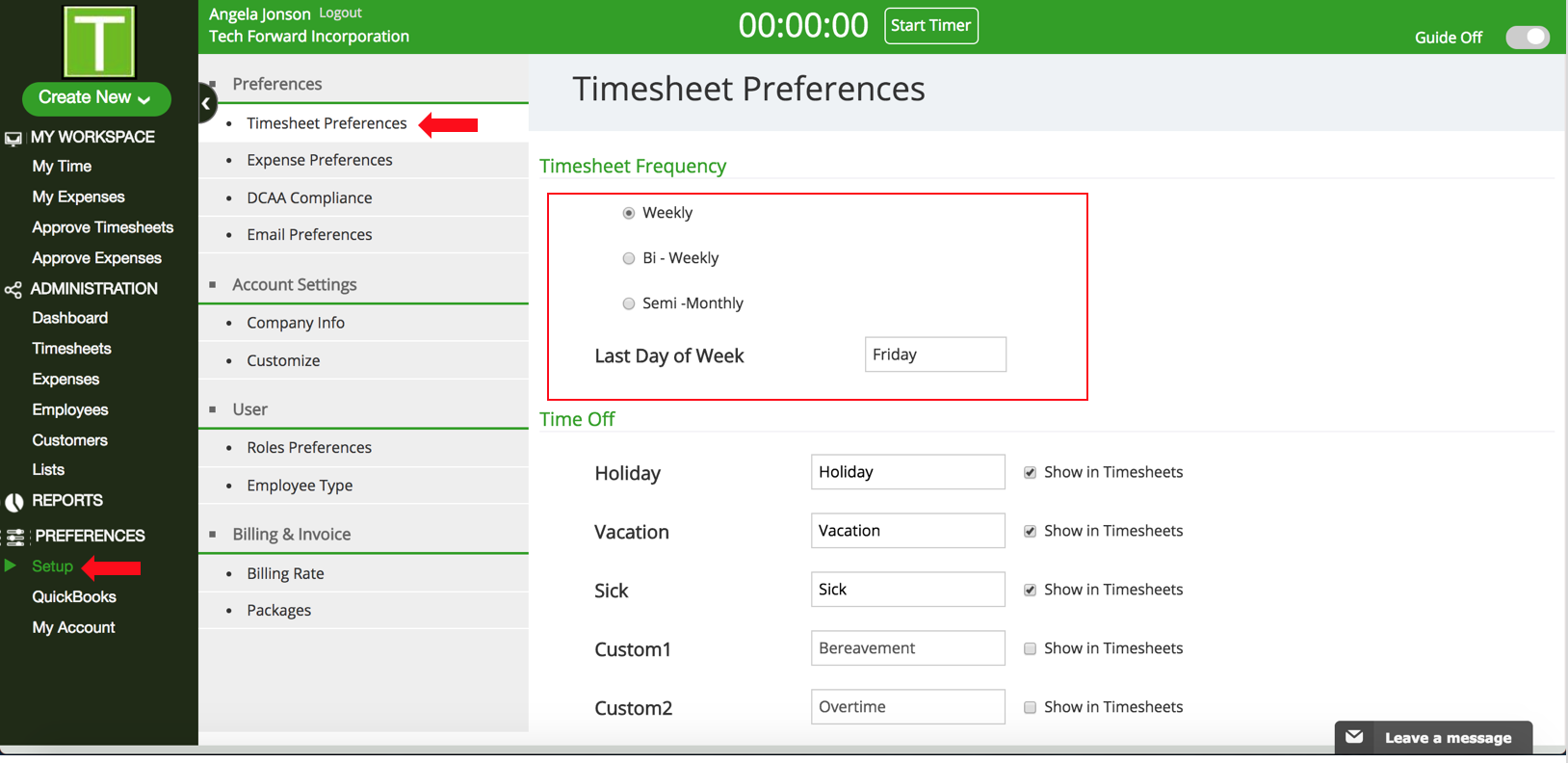
- Go to Setup under Preferences in the Sidebar.
- Click on Timesheet Preferences.
- Under Timesheet Frequency you will see three options:
- Weekly - For Weekly, enter the Last day of the Week.
- Bi-Weekly - For Bi-weekly, the enter Bi-weekly end date.
- Semi-Monthly - For Semi-Monthly, TimeRewards automatically calculates the dates (1st - 15th and 16th - last date of the month).
Have more questions?
Submit a request

0 Comments