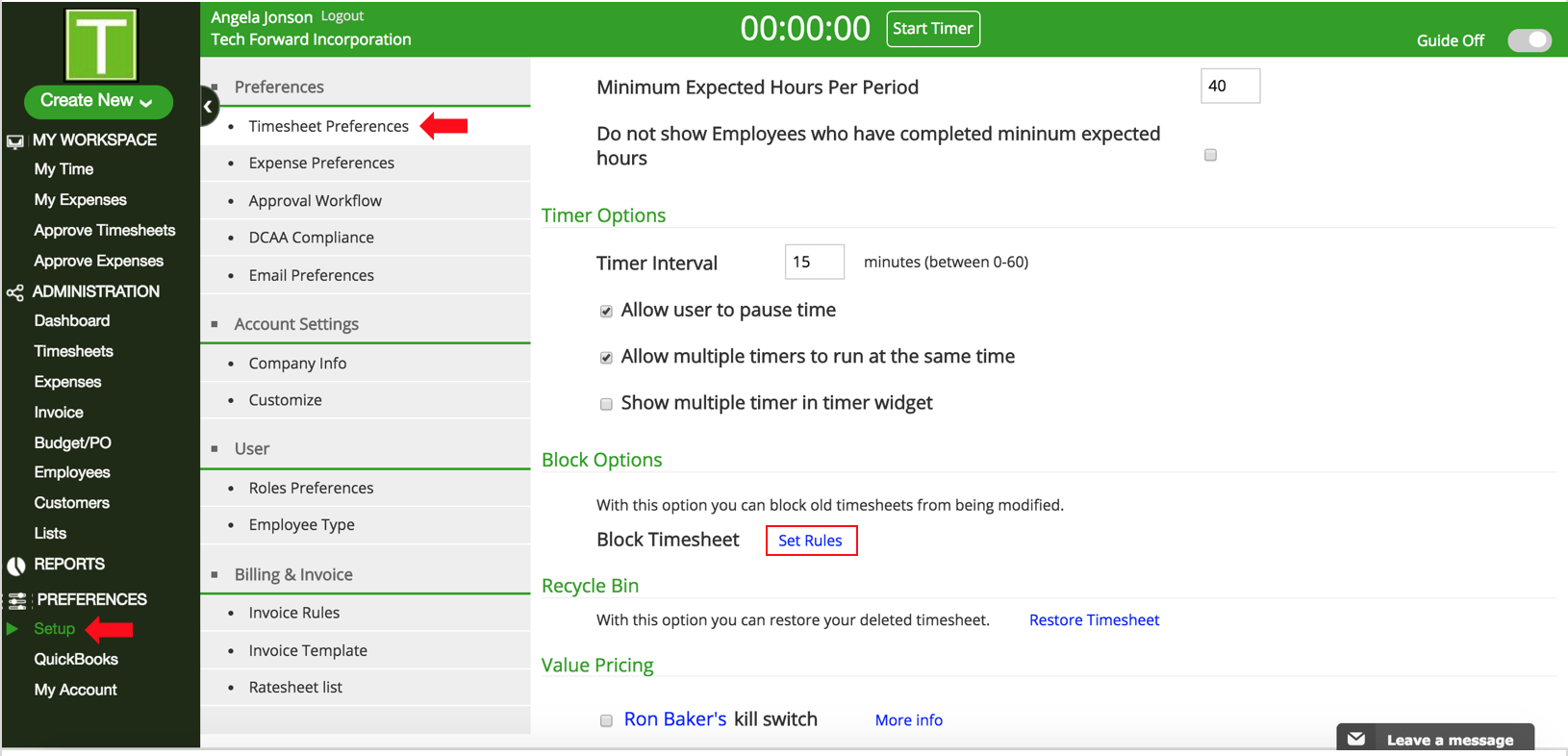
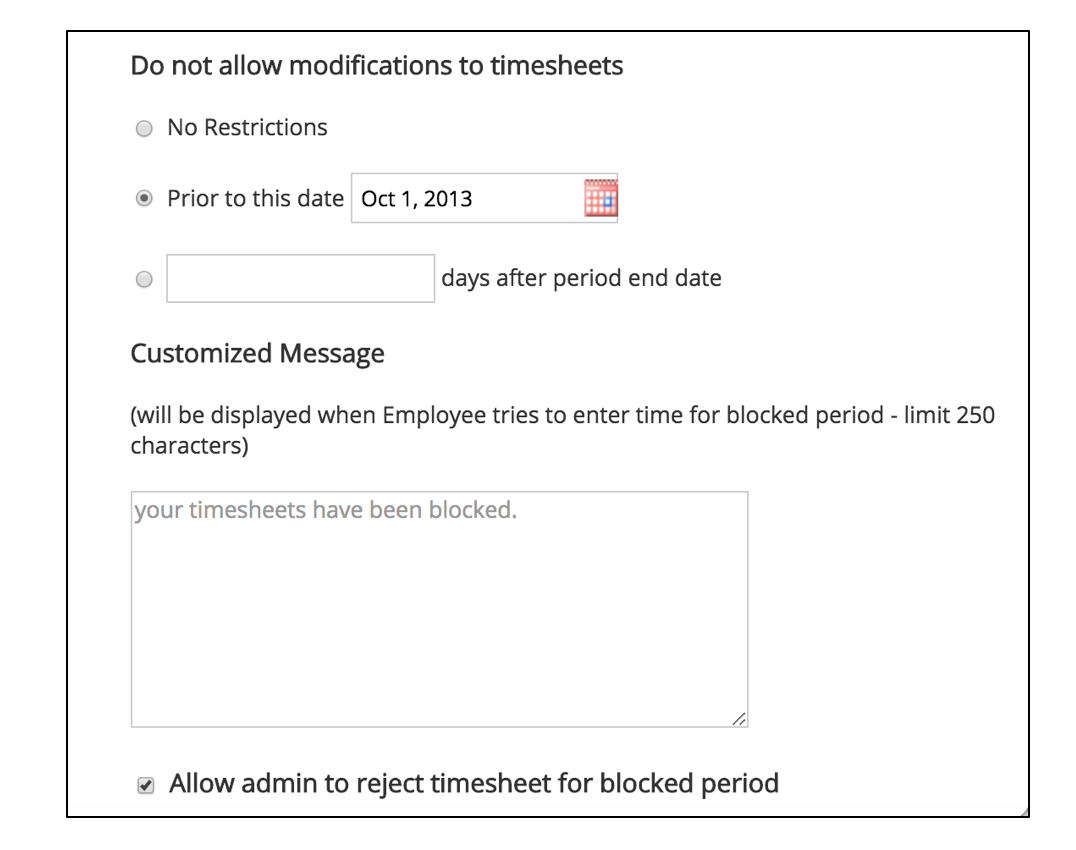
How do I block Timesheets from being modified? TimeRewards Software August 22, 2024 09:45 Follow Go to Setup under Preferences in the Sidebar. Click on Timesheet Preferences. Scroll down to Block Options. Click on Set Rules. In the popup, you can set restrictions as required. The admin can also reject a timesheet submitted for the blocked period. To enable that, check the box Allow admin to reject timesheet for blocked period. Have more questions? Submit a request 0 Comments Please sign in to leave a comment.

0 Comments